Brief
Confirm authorized contacts, objectives, zones, and information handling.
Low-voltage security · iPad field system
CCTV and Access-Control Survey and Handoff Notebook
Tie each camera, opening, pathway, and functional test to one secure project record.
The free edition is public-ready. Pro delivery remains private until checkout is connected.
The expensive record gap
Tie each camera, opening, pathway, and functional test to one secure project record.
A repeatable Security Survey record keeps observations, decisions, evidence, and follow-up together while the work is still current.
One repeatable route
Confirm authorized contacts, objectives, zones, and information handling.
Identify openings, camera positions, intercom points, and equipment rooms.
Record power, network, pathway, lighting, and environmental conditions.
Assign coverage, privacy, retention, access, and stakeholder decisions.
Document device function, event behavior, exceptions, and retest.
Transfer training, documents, administrator ownership, and open work securely.
Inside the Pro notebook
Quick Start and Security Handling · Project Index · Client, Site, and Authorized Contacts
Objectives and Operational Use Cases · Stakeholder Decision Matrix · Existing-System Inventory · Site and Zone Map
Opening and Entry Survey · Camera Location Survey · Access-Control Device Survey
Intercom and Visitor-Entry Survey · Network, Power, and Pathways · Lighting and Environmental Conditions · Coverage and Functional Requirements
Data, Retention, and Privacy Requirements · Equipment and Materials Schedule · Installation Readiness Check
Commissioning and Functional Test · Exceptions and Punch List · Training and Administrative Handoff · Acceptance and Secure Archive
The one-page field record
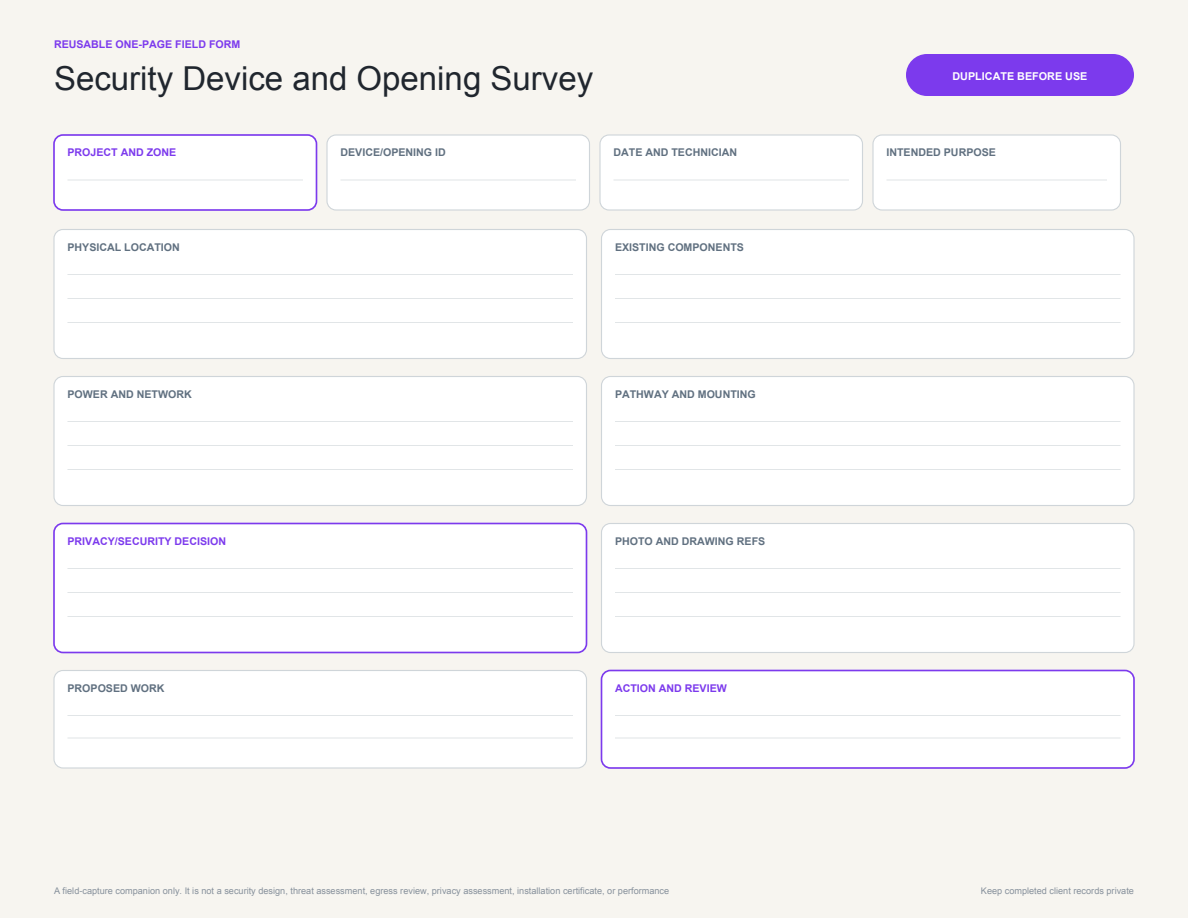
A focused one-page record for repeat low-voltage security work.
Free reach. Protected paid IP.
Simple one-time pricing
Questions, answered
CCTV and Access-Control Survey and Handoff Notebook Pro is a multi-page PDF imported as one complete note. The separate Security Device and Opening Survey PDF is supplied for repeating one-page template use because Notability uses only the first page when a multi-page PDF becomes a custom template.
Yes. The files are standard, searchable PDFs and can be used in capable PDF annotation apps. Test navigation and page duplication in your preferred app before using it on live work.
No. The Pro notebook is retained for licensed customer use. Only the separate brand-neutral Gallery Lite edition is intended for public publishing.
No. It is a structured recordkeeping aid. Continue to use every inspection, safety, regulatory, contractual, manufacturer, platform, and company record required for your work.
CCTV and Access-Control Survey and Handoff Notebook